Spelling Quiz - Word Trivia
- 4.8
- Rating
- 10.00M
- Installs
- Free
- Price
 Analysis by App-foxy
I tried Spelling Quiz - Word Trivia as a quick word game, but its real value became clearer after several short sessions: it turns spelling practice into a lightweight challenge that fits naturally into spare minutes. Rather than asking me to study vocabulary from a lesson, it gives me a reason to pause, think about a word, and notice where my spelling instincts are reliable or shaky. That makes it more useful than its simple presentation might suggest.
This is a free word game from Topy Games, available to a general audience with an Everyone content rating. It has built a sizeable audience, with over 10 million installs, a 4.8 average from around 98 thousand ratings, and roughly 10 thousand written reviews. Those figures do not replace personal experience, of course, but they do match my impression that the game is easy to understand and approachable for a broad range of players.
Why the spelling challenge works better than a passive vocabulary app
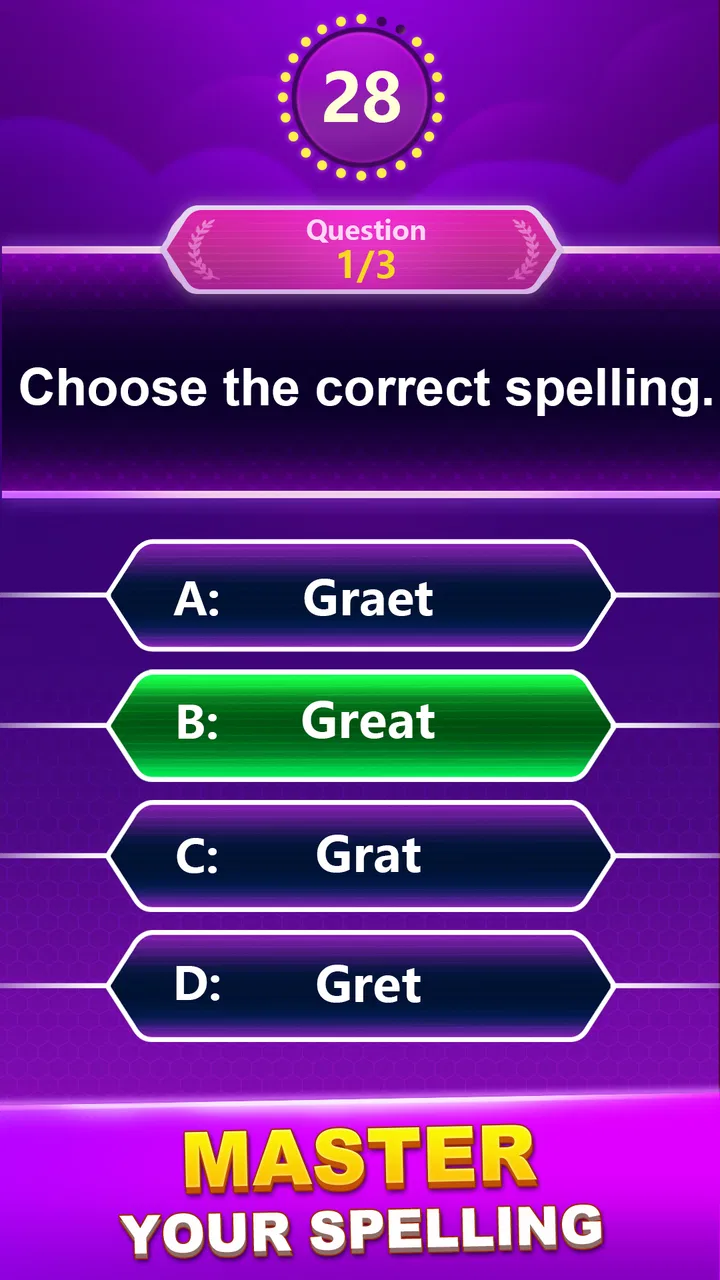
The central capability is straightforward: the game asks me to solve spelling trivia puzzles, so I have to retrieve the correct form of a word instead of merely recognizing it on a screen. That small difference matters. When I read a word in a list, I can often understand it without knowing how to spell it. When I have to choose or identify the correct spelling during a quiz, weak spots become much more visible.
You May Also Like

 Blood Strike: 2.5 Anniversary
Blood Strike’s Loadouts Turn Every Drop Into a Tactical Gamble
A close look at Blood Strike’s custom loadouts: how fast access to signature weapons reshapes its battle royale rhythm, rewards preparation, and narrows the gap between fights.

 Pandora - Music & Podcasts
Pandora’s Music Is Easy to Start, but Harder to Recover
Pandora’s strength is its low-effort path from a seed to a station. Its weak spot is how much confidence it asks you to place in connection, setup, and quiet recovery.

 8 Ball Pool
 Is Built on Rivalries, Rematches, and Routine
A close look at the rivalries, rematches, shared routines, and unanswered safety questions that turn a quick pool match into a persistent mobile community.

 Samsung Music
’s Quiet Strength Is Playing What You Already Own
Its reach comes less from spectacle than from dependable access to a personal library. That simplicity is both the app’s strongest retention engine and its ceiling.

 AccuWeather: Weather Radar
AccuWeather Review: A Quick, Clear Forecast for Everyday Decisions
For everyday plans, the best forecast is the one you can understand quickly. AccuWeather makes rain timing, radar, and local conditions easy to act on, with a few trade-offs.

 Hill Climb Racing
Why Hill Climb Racing Still Turns Crashes Into One More Run
A tiny car, a bumpy hill and one more upgrade: Hill Climb Racing keeps resurfacing because its simple chaos makes every near-miss feel personal.
More From Our News Desk
View All News


I found this especially helpful with words that look almost right in several forms. A quick quiz exposes the hesitation itself. If I repeatedly pause over a vowel combination, a doubled consonant, or a confusing ending, I know that the problem is not simply a lack of vocabulary. It is a spelling habit that needs attention. The game does not feel like a formal language course, but it creates useful moments of active recall.
The strongest feature is the conversion of idle time into small spelling decisions. I can play briefly without preparing a study session, opening a notebook, or committing to a long lesson. That makes it suitable for a morning break, a short wait, or the few minutes before going to sleep. The benefit comes from repeated contact with words, not from one long sitting.
That design also keeps the experience welcoming for people who dislike educational apps that feel like homework. The quiz format gives each question an immediate purpose. I am not reading an explanation before I know whether I need it; I am first testing my own recall. For a learner, that can make mistakes easier to notice and remember.
How I use each question as a learning prompt
I get more from the game when I resist guessing too quickly. If an answer looks familiar, I take a second to say the word silently and picture it written down. That creates a useful distinction between genuine knowledge and visual familiarity. A fast guess may keep the session moving, but a deliberate choice tells me more about what I actually know.
After an incorrect answer, I do not immediately treat it as a failure. I look at the correct spelling, identify the exact part that caused trouble, and try to recall it again before moving on. This is a practical habit because the most valuable question is not simply “Was I right?” but “What made the wrong option seem believable?” That approach turns a casual game into a small diagnostic tool.
Another useful routine is to group mistakes mentally. If several errors involve similar endings, I remember the pattern rather than the individual question. If the problem is a word I rarely use, I treat it as a vocabulary gap. If I knew the word but selected the wrong spelling under pressure, I treat it as a speed or attention issue. The app supplies the prompt; the quality of the learning comes from how I respond to it.
I would not describe the game as a replacement for a dictionary, a writing course, or structured language instruction. Its strength is the quiz interaction, not deep explanations. When I want to understand why a spelling is correct, I still need another reference or a deliberate writing exercise. That is an important limitation for advanced learners who expect detailed grammar guidance.
A realistic everyday scenario
Imagine using it during a commute or while waiting for an appointment. I would play a short round, notice two or three words that caused hesitation, and then stop rather than continuing until the activity became repetitive. Later that day, I could use one of those words in a message or write it once from memory. This two-step workflow is more effective than treating the quiz as a score-only activity.
For a student, the same routine could work before writing an essay: a few questions to warm up attention, followed by a note of unfamiliar spellings. For an adult who writes emails regularly, it can serve as a low-pressure check on common mistakes. Parents may also find it suitable for shared play because the Everyone rating makes the subject matter broadly accessible, although the right difficulty will depend on the child’s vocabulary and reading ability.
One non-obvious advantage is that the game can reveal overconfidence. I sometimes recognize a word instantly and assume I know its spelling, only to discover that I have been carrying an incorrect version in my head. A normal reading session would not necessarily expose that mistake. The quiz forces a decision, and that makes hidden uncertainty visible.
Where it fits among other word games
Compared with a crossword, this game focuses more directly on spelling recall than on clues, themes, or grid strategy. A crossword may provide richer context and a stronger sense of solving a larger puzzle, while this format is easier to pick up for a quick attempt. Compared with a word search, it asks me to think about the form of a word rather than simply locate letters. Compared with flashcards, it feels more playful, though it may offer less control over exactly which vocabulary I study.
That difference helps clarify who should choose it. If I want a calm word pastime with a visible vocabulary angle, it is a good fit. If I want competitive multiplayer play, elaborate story content, or a carefully organized language curriculum, I would look elsewhere. The game’s appeal is its narrow focus and low barrier to entry, not a large collection of unrelated systems.
Practical trade-offs, audience, and long-term value
The free entry point makes trying it easy, but the presence of in-app purchases means I would still check the purchase flow before handing the device to a child or using it as a family activity. Individual purchases range from $0.99 to $49.99. That wide span does not tell me what I personally need to buy, so I would begin with the free experience and avoid assuming that every optional purchase is necessary for useful practice.
The game runs on Android 7.0 and later, which covers many older devices as well as current ones. Its current version is 3.7, and it was released on July 9, 2021. For most readers, the practical point is compatibility: anyone using an older supported Android phone may still be able to try it, while users on other platforms should check the appropriate app store for availability before planning around it.
I also noticed a trade-off between convenience and depth. Short quizzes are excellent for maintaining attention, but they can encourage me to chase a good result instead of learning from mistakes. If I play mechanically, I may remember that I missed an answer without remembering the spelling itself. The solution is not complicated: slow down, revisit doubtful words, and connect them to actual writing. Without that extra step, the educational effect is lighter.
Another limitation is that a spelling quiz cannot fully represent real writing. In everyday messages, I need punctuation, sentence structure, word choice, and context as well as correct spelling. A player who wants to improve professional writing should pair this game with reading, editing, and writing practice. I see it as a useful component of a routine, not as a complete literacy solution.
Who gains the most from the focused format
I would recommend it most to casual learners, students who want a quick spelling warm-up, families looking for a simple word activity, and adults who enjoy testing vocabulary without entering a complicated game system. It is also a sensible choice for someone who tends to abandon study apps because they demand long sessions. The ability to start immediately is part of its practical appeal.
People learning English as an additional language may find the repeated spelling decisions useful, particularly when pronunciation does not clearly reveal the written form. Still, I would use a dictionary alongside it for definitions, examples, and pronunciation. Knowing that a spelling is correct is helpful; knowing how the word behaves in a sentence is what makes it usable.
Strong word-game fans may enjoy it as a change from crosswords and anagrams, especially when they want a direct spelling test. However, players who need constant novelty may eventually find the focused format less satisfying than a larger word-game collection. The same simplicity that makes it friendly can also make it feel limited if I expect a deep progression system or extensive customization.
My best tip is to set a small purpose before playing. I might decide to concentrate on accuracy, identify unfamiliar words, or simply use the game as a mental break. That choice changes the experience. Playing for accuracy makes me deliberate; playing to find vocabulary gaps makes mistakes useful; playing for relaxation keeps the pressure low. Without a purpose, it is easy to tap through questions and forget them.
I also suggest keeping the sessions short enough that attention remains sharp. The game is well suited to frequent contact, so there is little reason to force a long sitting. A few focused questions followed by a quick review can produce more value than repeated guessing after concentration fades. This is one of the clearest trade-offs: the app supports consistency better than intensive study.
My recommendation after using it
Spelling Quiz - Word Trivia succeeds because it gives spelling practice a simple reason to happen. I like that it does not require a large time commitment, and I appreciate the way a quick question can uncover a mistake I might otherwise carry into my writing. Its 4.8 average and broad install base suggest that many players find the format approachable, and my experience supports that impression.
I would skip it if I wanted detailed explanations, advanced grammar lessons, multiplayer competition, or a rich puzzle adventure. I would also avoid treating it as a complete study plan. The game is at its best when I use it as a repeatable prompt: answer carefully, notice the weak point, and then apply the corrected spelling somewhere meaningful.
As a free word game from Topy Games, it offers an accessible way to exercise vocabulary on compatible Android devices, with optional purchases for users who choose to explore them. For me, the recommendation is clear but specific: install it if you want low-pressure spelling practice that fits into everyday gaps. Use it thoughtfully rather than mechanically, and its modest quiz format becomes a surprisingly practical tool for building spelling awareness.
FAQs for Spelling Quiz - Word Trivia
01What is Spelling Quiz - Word Trivia?
Spelling Quiz - Word Trivia is an engaging mobile app designed to enhance users' spelling skills through interactive quizzes and word challenges. It combines fun and education, making it an excellent tool for both children and adults who want to improve their vocabulary and spelling proficiency. The app provides varying levels of difficulty to cater to all learning stages.
02How does the app help improve spelling skills?
The app offers a series of quizzes and word challenges that gradually increase in difficulty. Users can test their knowledge and receive instant feedback on their performance. By providing hints and explanations for incorrect answers, the app helps users learn from their mistakes and understand the correct spelling of words, thus improving their overall spelling abilities.
03Is Spelling Quiz - Word Trivia suitable for all ages?
Yes, Spelling Quiz - Word Trivia is designed for users of all ages. The app features adjustable difficulty levels, making it suitable for children learning to spell as well as adults looking to refine their vocabulary. The intuitive interface and engaging gameplay ensure that users of any age can enjoy and benefit from the app.
04Does the app require an internet connection to play?
Spelling Quiz - Word Trivia can be played offline, allowing users to access quizzes and challenges without an internet connection. However, some features, such as leaderboard updates and downloading new word packs, may require an internet connection. This ensures a seamless experience whether users are online or offline.
05Are there in-app purchases or ads in Spelling Quiz - Word Trivia?
The app includes optional in-app purchases, such as additional word packs and hints, to enhance the gaming experience. While it does feature ads, users have the option to remove them by purchasing an ad-free version. This flexibility allows users to enjoy the app according to their preferences and budget.
Pros
- Engaging word puzzles enhance vocabulary.
- User-friendly interface with intuitive navigation.
- Regular updates with new levels and challenges.
- Supports offline play for on-the-go fun.
- Customizable difficulty settings for all ages.
Cons
- In-app ads can be disruptive during play.
- Limited hints can frustrate novice players.
- Some levels feel repetitively similar.
- Lacks multiplayer or social features.
- Requires frequent updates for bug fixes.

Spelling Quiz - Word Trivia
Gallery